What are periodic trends?
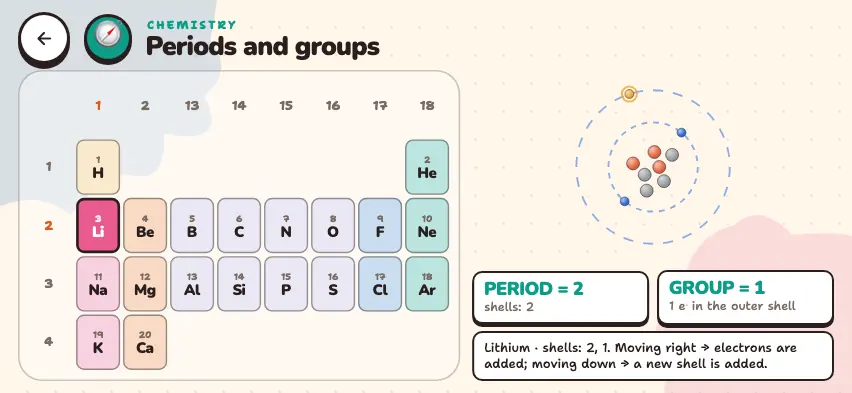
When you list the elements by number of protons, their properties change in definite directions. These changes are called periodic trends. The simulator shows four properties:
| Property | What it means | Moving right across a period | Moving down a group |
|---|---|---|---|
| Atomic radius | The size of the atom | Decreases | Increases |
| Ionization energy | The energy needed to remove one electron from an atom | Increases | Decreases |
| Electronegativity | The ability to pull the shared electron pair in a bond toward itself | Increases | Decreases |
| Metallic character | The ability to lose electrons easily | Decreases | Increases |
Why do these changes happen?
- Moving right across a period, protons are added and the nuclear charge increases, while the number of shells stays the same. The outer electrons are pulled more strongly toward the nucleus, and the atom gets smaller. It becomes harder to remove an electron.
- Moving down a group, a new shell is added, and the outer electrons get farther from the nucleus. The inner shells weaken the pull of the nucleus. The atom gets larger and loses electrons easily.
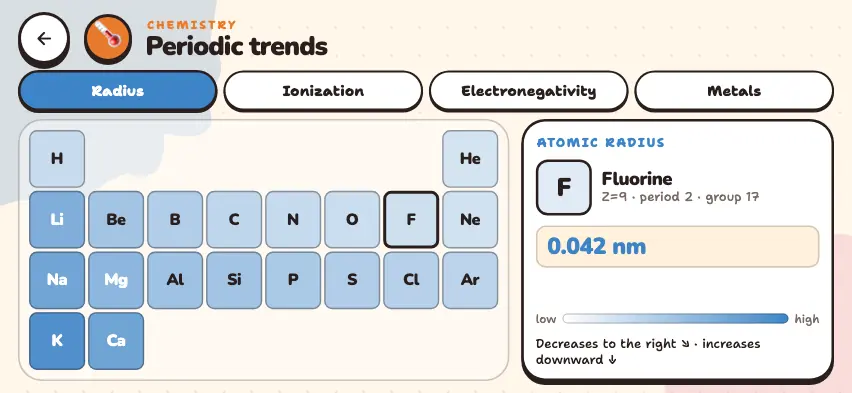
Compare the trends in the Nalukh chem app
Choose a property and see the value of each element on the color-coded table. This simulator is included with full access. Downloading is free, and 2 units and 5 simulators are open without signing up.
How do you use the simulator?
- Choose a property from the Radius, Ionization, Electronegativity, and Metals tabs in the top row.
- The first 20 elements are colored by the value of that property. Light cells have low values, and dark cells have high values.
- Tap an element's cell. The right panel shows the name, number, period, group, and the value of that property.
- A short explanation of the direction appears in the bottom row of the panel.
- Tap to the right along a row and down along a column to compare the values.
Ionization energy exceptions
Moving right across a period, ionization energy generally increases, but in period 2 it drops in two places:
| Step | kJ/mol | Reason |
|---|---|---|
| Be → B | 899 → 801 | The outer electron of boron is in 2p. In the same shell, a p electron is easier to remove than an s electron. |
| N → O | 1402 → 1314 | In oxygen, 2 electrons pair up in one 2p orbital and repel each other. So one of them is easier to remove. |
Tasks to try in the simulator
- On the Radius tab, find the largest and smallest atoms. Answer: Potassium at 0.243 nm and helium at 0.031 nm.
- On the Ionization tab, tap across period 3 from sodium to argon and find the two places where the value drops. Answer: Mg 738 → Al 578 and P 1012 → S 1000. The reason is the same as in period 2.
- On the Electronegativity tab, tap He, Ne, and Ar. Why does no number appear? Answer: Noble gases form almost no bonds, so this value is not defined.
- On the Metals tab, find the metalloids. Answer: Boron and silicon.