In English · Interactive chemistry

Learn chemistry like a game

Nalukh chem is an app that makes grade 6–11 chemistry fun to learn. 85 topics, 1069 activities, 81 interactive simulators — all in English, in one app.

Now on the App Store, Google Play and Microsoft Store
81 simulators Offline content In English In 11 languages
85
TOPIC
1069
TASK
81
SIMULATOR
13
UNITS
Why it's fun

Don't just read — play

Learn chemistry by dragging atoms, building molecules and balancing equations.

Game-like activities

44 types of activities — questions, sorting, matching, ordering, building molecules, calculations, balancing equations and more.

Rewards and progress

Collect badges and stickers after every activity and complete your daily challenge to earn rewards. Your progress is saved.

81 interactive simulators

Build atoms, measure pH, balance equations — a real virtual lab in your hands.

Entirely in English

Terms, explanations and exercises are all in English. The content is aligned with the school chemistry curriculum.

Fits every level

Activities go from simple to advanced, so students from lower to upper grades start at their own level and go deeper.

Works without internet

The learning content is built into the app, so you can keep learning even where the internet is weak.

Coverage

From atoms to life — 13 units

Grade 6–11 chemistry in textbook order, step by step.

Glassware and equipmentTools and lab safety
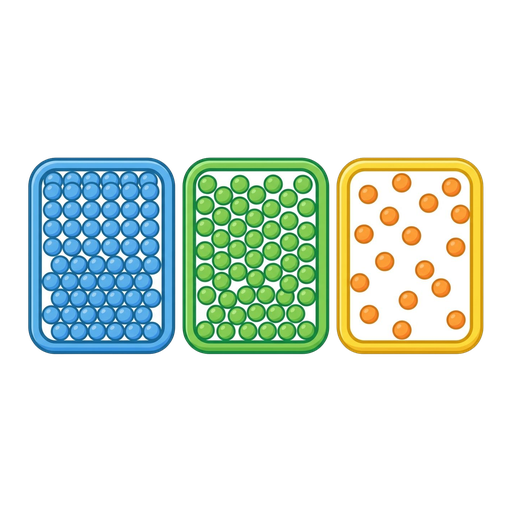
States of matterStates, changes, diffusion
Properties of materialsMetals and nonmetals
Changes in materialsAcids, bases, indicators
Atomic structureAtoms, periodic trends
Chemical bondingIonic and covalent bonds
Chemical reactionsEquations, heat, salts
Inorganic substancesOxides, acids, bases, salts
Chemistry and lifePollution, uses, discoveries
Basic conceptsMoles, bonding, purity
Physical chemistryEnergy, equilibrium, kinetics
Inorganic chemistryMetals, carbonates, nitrogen
Organic chemistryHydrocarbons
Virtual lab

81 interactive simulators

Drag, add, measure — discover for yourself how chemistry works.

  • Build an atom
  • Build a molecule
  • pH scale
  • Balancing equations
  • Concentration
  • Molecules and light
  • Rutherford scattering
  • Isotopes and atomic mass
  • Properties of gases
  • Static electricity
  • Molecule shapes
  • Acid–base solutions
  • Build a nucleus
  • Molar concentration
  • Density
  • States of matter
For parents

An app you can hand over without worry

No surprise purchases, no hidden fees. Just a focus on learning.

Transparent pricing

Choose the time-based plan that suits you. No surprise purchases, no hidden fees.

Progress is saved

Completed activities and collected stars and badges are saved to the account automatically, so learning continues where it left off.

Parental gate

Actions like purchases and settings are behind a parental check.

Aligned with the curriculum

Follows the topics of Mongolia's chemistry curriculum and reinforces what is learned in class.

How to get started

Three steps

1

Download it

Download Nalukh chem from the App Store, Google Play or Microsoft Store and create your account.

2

Pick a topic

Choose from 13 units and 85 topics the one that fits your level.

3

Learn by playing

Complete activities, try simulators and collect rewards.

Windows PC · Microsoft Store

Using it on a computer

Nalukh chem is now on the Microsoft Store. Try the simulators and do the activities on a big computer screen — at home or in class.

  1. Download and install. Search for “Nalukh chem” in the Microsoft Store or click the button below. Works on Windows 10 and 11.
  2. Try it without an account. The free part is open without logging in: 2 units, 3 simulators and the periodic table.
  3. Log in for full use. A plan bought on your phone through the App Store or Google Play also works on the computer — just sign in with the same account.
Nalukh chem
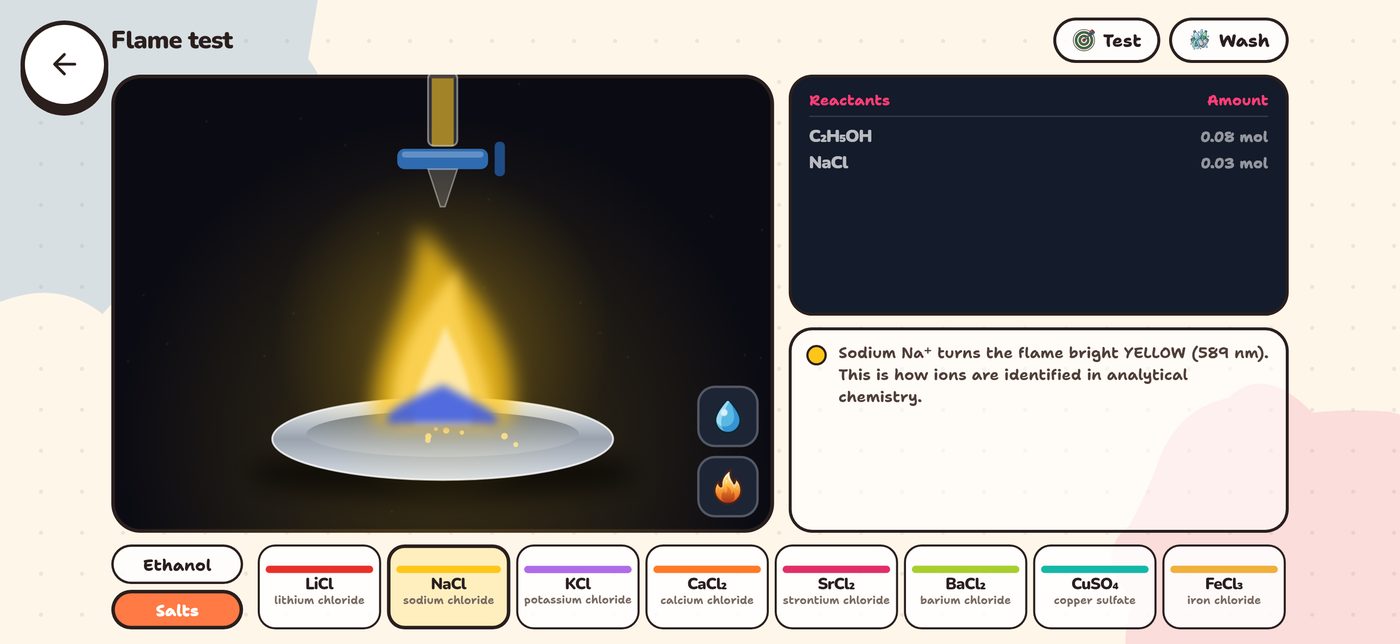
Nalukh chem on Windows — flame test simulator
On the big screen in class

One plan — phone and computer

A plan bought on your phone is also open on a Windows computer. To show it on a projector or TV in class, write to support@nalukh.mn.

1 phone + 1 computer

One account can be signed in on one phone and one computer at the same time.

Buy in the phone app

There are no purchases inside the Windows app. Buy your plan in the iPhone, iPad or Android app through the App Store or Google Play, then sign in on the computer with the same account.

Pricing

Start free, unlock everything whenever you like

Downloading is free — without an account, 2 units, 3 simulators and the periodic table are open. Unlock everything with a time-based plan inside the app, paid through the App Store or Google Play.

1 month

App Store, Google Play$4.99

3 months

App Store, Google Play$9.99

$3.33 a month — 33% less than the 1-month plan

Recommended

9 months

App Store, Google Play$19.99

$2.22 a month — 55% less than the 1-month plan

No auto-renewal

A one-time payment — you are never charged again automatically, as with a subscription. Renew before your plan ends and you keep the remaining days.

Everything unlocked

While the plan is active, all 13 units, 85 topics, 1069 activities, 81 simulators, every duel mode and the dice race are fully open.

In your local currency

The App Store and Google Play show the price in your country’s currency — the US dollar prices above are a guide.

Frequently asked questions

Things you might want to ask

Can I use it in a web browser?+
No. Nalukh chem is an app you install on a phone, tablet or computer. Search for “Nalukh chem” to download it: iPhone and iPad — App Store, Android — Google Play, Windows computers — Microsoft Store. Lessons happen only inside the app — nalukh.mn is the app's info site.
Which languages is it available in?+
The app has 11 languages: Mongolian, Russian, Kazakh, Uzbek, Kyrgyz, English, German, French, Spanish, Polish and Swedish. You choose your language when you first open the app and can change it at any time — lessons, activities and simulators all appear in the language you choose.
Which grades are covered?+
Grade 6–11 chemistry is included in textbook order: 13 units, 85 topics, 1069 interactive activities, 81 simulators.
Who is it for?+
For grade 6–11 students who want to review lessons or study ahead. Activities go from simple to advanced, so everyone starts at their own level and goes deeper. Teachers show it on a big screen in class.
Is it free? How do I pay?+
Downloading is free. Without an account, 2 units, 3 simulators and the periodic table are open. Everything else is unlocked with a 1-, 3- or 9-month plan bought in the app through the App Store or Google Play (from $4.99). While the plan is active, every topic, activity and simulator is fully open.
Do I need the internet?+
The learning content is built into the app, so it basically works offline. You only need the internet to create an account, save your progress and confirm payments.
Which devices does it work on?+
It works on iPhone, iPad and Android phones and tablets. Install it on Windows 10 and 11 computers from the Microsoft Store — a plan bought in the phone app also works on the computer with the same account (details). The app is designed for landscape mode and large screens.
Can teachers use it in class?+
Yes. Showing it on a projector or TV in class needs “Classroom Screen” access, which we set up on request at support@nalukh.mn. Schools can also register their students there — teachers then see their class's progress and give exams through the teacher.nalukh.mn portal.
Why landscape mode?+
Interactive activities like simulators and building molecules need a wide workspace, so the app was purposely built to work best on tablets and landscape screens.

The most fun way to learn chemistry

Don't memorize chemistry — understand it by experimenting. Download Nalukh and get started.