What is a Lewis dot structure?
The electrons in an atom's outer shell are called valence electrons. These electrons take part in forming chemical bonds. A Lewis dot structure, also called Lewis dot notation or an electron dot diagram, leaves out the inner shells and shows only the valence electrons, as dots around the symbol.
You place the dots in three steps:
- Find the number of valence electrons. For A-group elements (main-group elements), this equals the group number, except for helium.
- Place one dot on each of the four sides of the symbol.
- Starting with the fifth dot, add each dot next to a single dot to make a pair.
| Group | Example | Total dots | Single dots | Dot pairs |
|---|---|---|---|---|
| IA | Na | 1 | 1 | 0 |
| IIA | Mg | 2 | 2 | 0 |
| IIIA | Al | 3 | 3 | 0 |
| IVA | C | 4 | 4 | 0 |
| VA | N | 5 | 3 | 1 |
| VIA | O | 6 | 2 | 2 |
| VIIA | Cl | 7 | 1 | 3 |
| VIIIA | Ne | 8 | 0 | 4 |
The number of single dots usually tells you how many bonds an atom forms. Carbon has 4 single dots, nitrogen 3, oxygen 2, and fluorine 1. That is why they form CH4, NH3, H2O, and HF when they combine with hydrogen.
Place the dots yourself and check them
Place dots on the four sides of an element and check your answer. This simulator is included with full access. The app is free to download, and 2 units and 5 simulators are open with no sign-up.
How do you use the simulator?
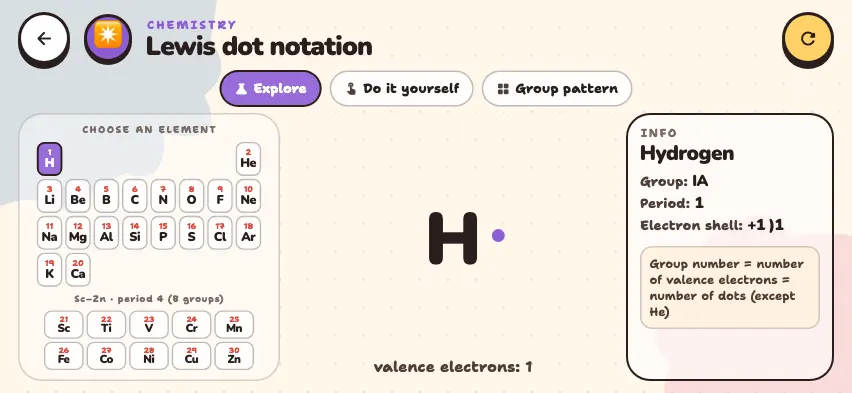
- In Explore mode, choose an element from the table on the left. The dots appear one at a time, and the number of valence electrons is shown below them.
- Read Group, Period, and Electron shell in the right panel.
- Group pattern mode shows the general pattern of the eight A groups, using the letter X.
- Do it yourself mode shows an element's name, atomic number, period, and group. Tap a side of the symbol to add a dot. One side holds at most 2 dots, and a third tap clears that side.
- Press the Check button. If you are correct, your score goes up and the next element appears. If you are wrong, fix your answer and check again. To skip an element, press the Skip button.
Do it yourself mode also includes the transition metals Sc–Zn. Their dots show the outer-shell electrons: most of them have 2 dots.
Tasks to try in the simulator
- In Explore mode, compare oxygen and sulfur. Answer: Both are group VIA elements with 6 dots: 2 single dots and 2 dot pairs. Their periods are different, but their dot pictures are the same.
- In Do it yourself mode, when nitrogen or phosphorus comes up, place 2 pairs and 1 single dot and check. Answer: The total is 5 dots, but the answer is marked wrong. The correct answer is 3 single dots and 1 pair.
- Select chromium and copper and compare them with iron. Answer: Chromium and copper have 1 electron in the outer shell, so they have 1 dot. Iron has 2 dots.
Common mistakes when placing Lewis dots
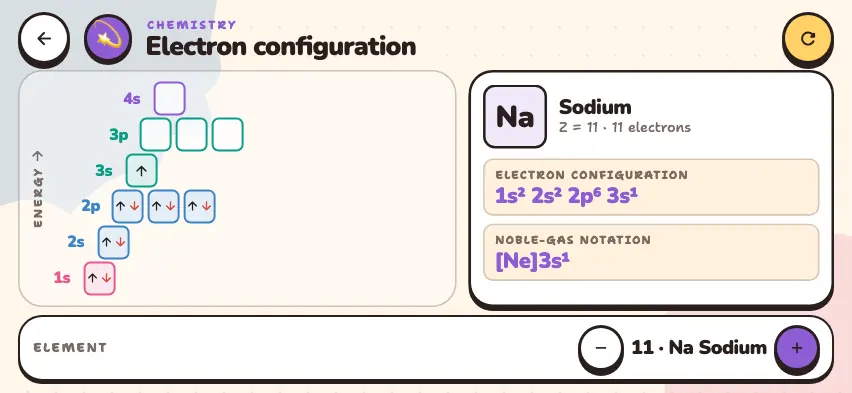
- Drawing all the electrons. Sodium has 11 electrons but only 1 dot. Count only the outer shell.
- Making pairs too early. Finish placing one dot on each of the four sides before you make pairs.
- Thinking the side matters. It does not matter which side a dot is on. Only the number of single dots and pairs matters. The simulator also accepts rotated versions as correct.
- Counting helium by its group number. Helium is in group VIIIA but has 2 valence electrons.