What forms does energy take?
Energy does not disappear and is not created. It only changes from one form to another. In chemistry, the most important form is chemical energy, which is stored in the chemical bonds of substances.
| Form | Example |
|---|---|
| Chemical | Stored in fuel, food, and batteries |
| Thermal | Released when wood burns, and it warms a house |
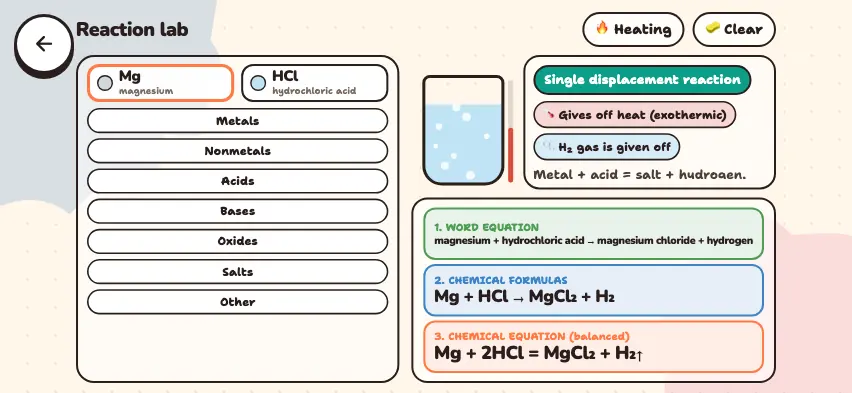
| Light | White light is given off when magnesium burns |
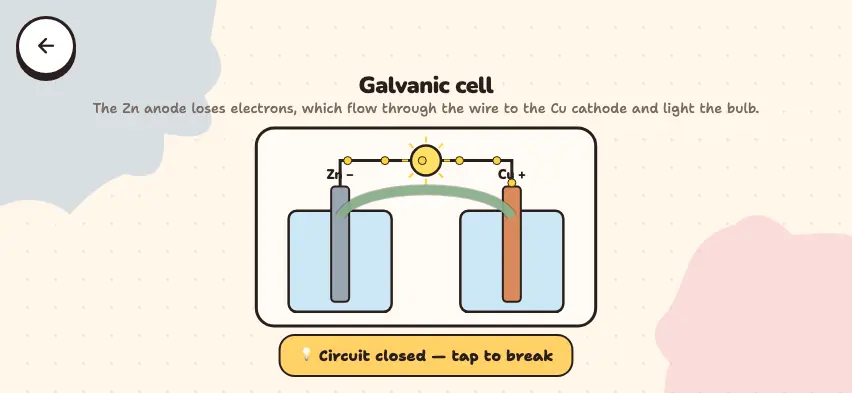
| Electrical | A battery's chemical energy becomes a current that lights a bulb |
| Mechanical | Gasoline burns in an engine, and the car moves |
This simulator focuses on thermal energy: it shows how heat moves from one object to another.
How does heat move?
Between two objects that touch, heat always moves from the hot object to the cold one. As soon as their temperatures are equal, heat stops moving.
Each substance heats up differently. The heat needed to raise the temperature of 1 g of a substance by 1°C is called its specific heat capacity, or specific heat (c). For water it is 4.2 J/(g·°C), and for iron it is 0.45 J/(g·°C). So for the same mass, water needs about 9 times as much heat as iron. You calculate the amount of heat with the formula Q = m · c · Δt: heating 100 g of water by 10°C takes 4200 J.
Run heat experiments in the Nalukh chem app
This simulator is part of full access. The app is free to download, and 2 chapters and 5 simulators are open without sign-up.
How do you use the simulator?
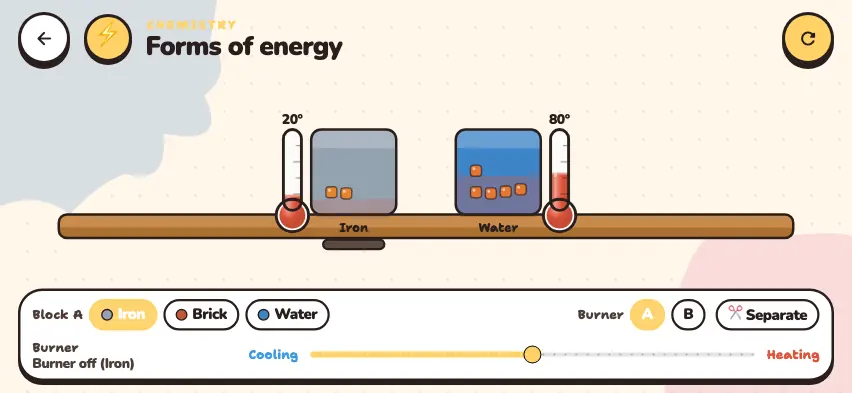
When the simulator opens, the left block is iron at 20°, and the right block is water at 80°. Each block has a thermometer beside it and square markers inside it. The hotter a block gets, the more squares it shows.
- In the Block A row, choose the material of the left block: Iron, Brick, or Water. The right block is always water.
- In the Burner row, use the A or B button to choose which block the burner goes under.
- Drag the bottom slider toward Heating to heat the block, or toward Cooling to cool it. When the slider is in the middle, the burner is off.
- Press the ✂ Separate button, and the two blocks touch. The button then reads 🔗 Together. If the temperatures are different, an arrow appears from the hot block to the cold block.
- The refresh button in the top corner returns everything to the start.
Tasks to try in the simulator
Press the refresh button before each new test.
- Put iron and water in contact and wait until their temperatures are equal. Answer: 68°. The iron warms by 48°, and the water cools by 12°.
- Choose Brick in the Block A row and repeat. Answer: 60°.
- Choose Water in the Block A row and repeat. Answer: 50°, exactly halfway between the two temperatures.
- Calculate the final temperature yourself. The simulator uses relative heat capacities: iron 1, brick 2, water 4. For iron: (1 · 20 + 4 · 80) ÷ (1 + 4) = 68°.
- Drag the slider all the way toward Heating and time how long the left block takes to heat from 20° to 60° with iron and with water. Answer: Water takes 4 times as long.
Simulator vs. real life
The simulator is a simplified model. The water block does not freeze at 0°C or boil at 100°C. The number of square markers depends only on temperature, but the heat in a real object also depends on its mass and heat capacity. The real ratio of the heat capacities of iron and water is about 9, not 4.
Water has a high heat capacity, so heating pipes carry water: it moves a lot of heat and cools slowly.