Why do you balance equations?
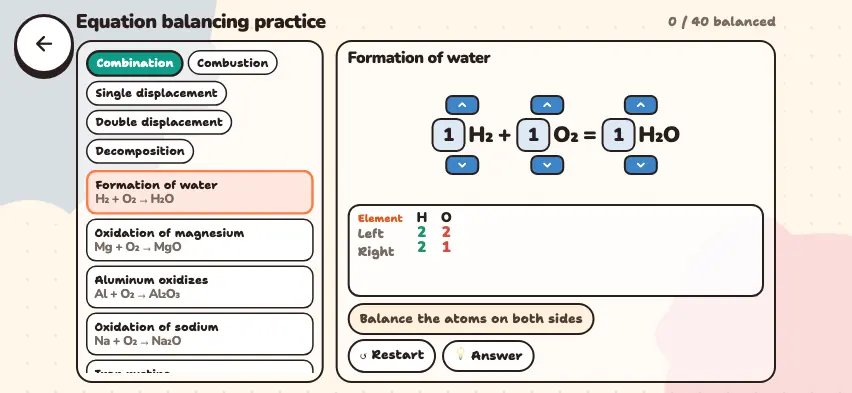
By the law of conservation of mass, the total mass before a reaction equals the total mass after it. Atoms are not created or destroyed, so the number of atoms of each element must be the same on both sides of the arrow.
When you balance an equation, change only the coefficients in front of the formulas. Do not change the subscripts inside a formula: H2O is water, and H2O2 is hydrogen peroxide, a different substance.
Step-by-step example: burning methane
Start with all coefficients at 1: CH4 + O2 → CO2 + H2O
| Element | Left side | Right side |
|---|---|---|
| C | 1 | 1 |
| H | 4 | 2 |
| O | 2 | 3 |
- Carbon is already balanced, so skip it.
- Hydrogen: The left side has 4 and the right side has 2. Write 2 in front of H2O: CH4 + O2 → CO2 + 2H2O. Now hydrogen is 4 and 4.
- Oxygen: The right side now has 2 + 2 = 4, and the left side has 2. Write 2 in front of O2.
- Check: C 1 and 1, H 4 and 4, O 4 and 4.
Answer: CH4 + 2O2 → CO2 + 2H2O
Oxygen was balanced last because O2 contains only one element: changing its coefficient does not change the number of carbon or hydrogen atoms.
Balance equations in the Nalukh chem app
This simulator is included with full access. Downloading is free, and 2 units and 5 simulators are open without signing up.
How do you use the simulator?
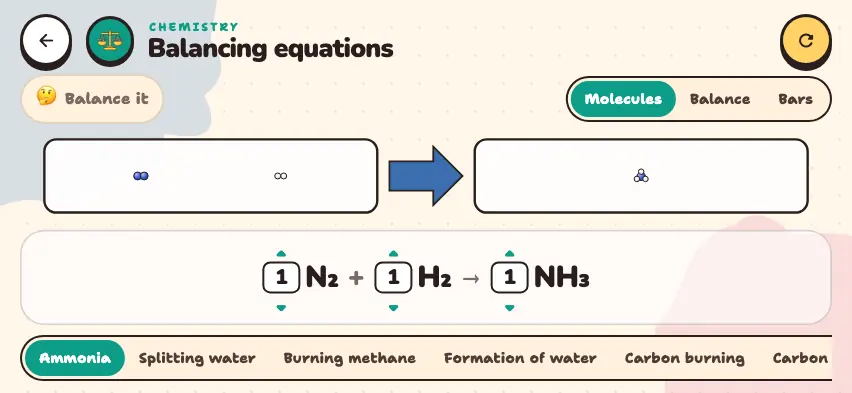
- Scroll the bottom row sideways and choose one of the 20 reactions, for example Burning methane. All coefficients become 1.
- Use the up and down arrows to the left of each formula to change its coefficient from 0 to 8.
- On the right side of the top row, choose a view: Molecules draws the molecules in two boxes, Balance shows a balance scale for each element, and Bars shows a bar for each element.
- The left side of the top row shows Balance it. When all elements balance, the green message Balanced! appears.
- The circular arrow button returns to the first reaction and the starting coefficients.
In Balance view, you can see right away which element is off: the side with more atoms sinks, and the count for each side is shown.
Tasks to try in the simulator
Work each one out in your notebook first, then check it in the simulator.
- Ammonia: N2 + H2 → NH3. Answer: 1, 3, 2.
- Propane burning: C3H8 + O2 → CO2 + H2O. Answer: 1, 5, 3, 4.
- Aluminum oxidizes: Al + O2 → Al2O3. Answer: 4, 3, 2.
- Ethane burns: C2H6 + O2 → CO2 + H2O. Answer: 2, 7, 4, 6.
Common mistakes
- Changing a subscript. If you change O2 to O3, you get ozone, a different substance.
- Not reducing the coefficients. If you enter 2, 6, 4 for the ammonia equation, the simulator shows Balanced!, but the correct answer uses the smallest whole numbers: 1, 3, 2.
- Forgetting to multiply the coefficient across all the atoms in a formula. 2H2O has 4 hydrogen atoms and 2 oxygen atoms.