What is a neutralization reaction?
In a neutralization reaction, an acid and a base combine to form a salt and water. The key step is one ionic equation: H+ + OH− → H2O. The rest of the acid combines with the metal from the base to form a salt. So the salt you get depends on the acid and the base.
| Acid | Base (alkali) | Salt | Equation |
|---|---|---|---|
| hydrochloric acid | sodium hydroxide | sodium chloride | HCl + NaOH → NaCl + H2O |
| sulfuric acid | sodium hydroxide | sodium sulfate | H2SO4 + 2NaOH → Na2SO4 + 2H2O |
| nitric acid | potassium hydroxide | potassium nitrate | HNO3 + KOH → KNO3 + H2O |
Sulfuric acid gives two H+ ions, so one mole of the acid needs two moles of NaOH. The reaction gives off heat.
How does the pH change?
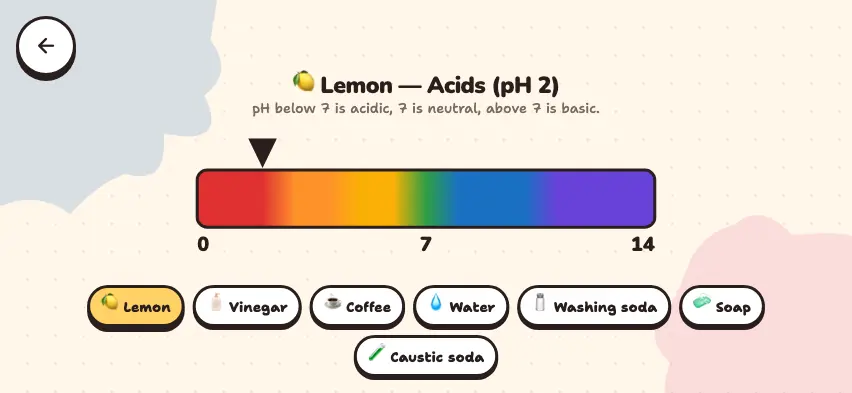
At first, the solution has excess H+, and the pH is low. As you add more base, the H+ ions are used up forming water, and the pH rises. When the amounts of the two ions are equal, the solution is neutral. Any base you add after that is in excess, and the solution becomes basic.
The simulator links the pH evenly to the slider position. In a real experiment, when you add a strong base to a strong acid, the pH rises slowly at first and then jumps sharply near pH 7. See the titration article for this.
Neutralize an acid in the Nalukh chem app
This simulator is part of full access. The app is free to download, and 2 chapters and 5 simulators are open without sign-up.
How do you use the simulator?
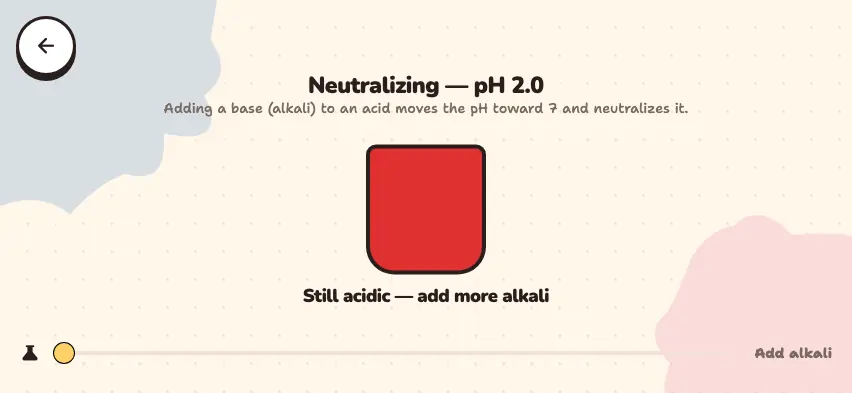
- At the start, the beaker holds only acid: the pH is 2.0, and the beaker is red.
- Slowly drag the Add alkali slider to the right. The pH shown at the top rises as high as 12.
- Watch the color of the beaker. It changes with the pH, from red to purple.
- Between pH 6.4 and 7.6, a green message says the solution is neutralized.
- Above pH 7.6, a message says too much alkali was added. Drag the slider back to the left and try again.
Tasks to try in the simulator
- Set the pH to exactly 7.0. Where does the slider stop? Answer: Exactly in the middle.
- As you drag the slider from left to right, how many colors does the beaker go through? Answer: 6 colors (red, orange, yellow, green, blue, purple).
- Compare the beaker colors at pH 5 and pH 9. Answer: Yellow and blue.
Neutralization in everyday life
- Antacids taken for heartburn neutralize excess hydrochloric acid: Mg(OH)2 + 2HCl → MgCl2 + 2H2O.
- Lime is spread on acidic soil to raise its pH.
- Acid forms in your mouth after you eat candy. Mildly basic toothpaste neutralizes it.